

About This File
lava_lib_LabVIEW_API_array_xnodes v1.4.3.36 by University of Leeds
Author: Gavin Burnell
Copyright: Copyright © 2014, University of Leeds
License: BSD
Compatible LabVIEW Versions: >= 2012.
Compatible OS Versions: ALL.
Description:
Description:
This is a collection LabVIEW 2012Sp1 XNodes.
XNodes are a hidden and unsupported feature in LabVIEW >8.x. As such, this code may not necessarily work in versions of LabVIEW > 2013 and the technology is not supported by NI. On the otherhand they are really quite useful.
Because XNodes are scripted at edit time they offer a form of polymorphism far superior to polymorphic vis as they will support any array type and not just ones that the developer has provided polymorphs for.
This package contains the following XNodes:
* Array Dimension Array
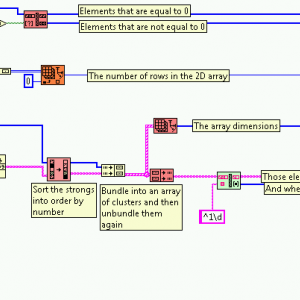
This XNode operates in a fashion similar to the Array size primitive Xnode except that it always returns an array
of sizes of dimensions. For a 1D array, this is an array with 1 element, for n-D arrays where n>1, this is the same as the primitive and for scalar inputs, returns a zero length array.
* Array Dimension and Index
* Array Size and Unbundle
These are slightly different versions of the same XNode. It will take in an n-dimension array and return N I32 outputs with the dimensions of the input array. Array size and unbundle is perhaps the better named version.
* Array Dimension
This is equivalent to the Array Dimension Array coupled with an Index Array node to return as an I32 the specified dimension of the input array. If the specified dimension is greater than the dimensionality of the input array, -1 is returned.
* Filter Array
This XNode splits the input array into two sub arrays according to a boolean array input - one for elements where the boolean filter was true and the other where the filter was false.
* Foreign Key Sort
Sorts one array based on the sort order of a second array - useful when you have an array of items and an array of keys and you want the first array elements in order of their keys.
* Shuffle Array
The inverse of an array sort - randomises the order of the elements of an array. For 2D arrays it can randomise either the rows, columns or both rows and columns.
* Unindex and Unbundle.xnode
Performs the inverse of Index and Bundle Cluster Array. Takes an input array of clusters and un-indexes and unbundles each cluster and returns arrays of each element of the original clusters. This is equivalent to feeding
a cluster array into a for loop with auto-indexing turned on, unbundling all elements, and wiring back out of a for
loop with auto-indexing turned on in order to generate arrays of each element.
* Minimum Array Size
This XNode will take the input 1D array and either make it at least n elements long, or exactly n elements long. If additional elements are needed, the default value for the element is used and the new elements are appended to the end of the array. For the fixed-size variant, if elements are to be removed, they are removed from the end of the array.
Known Issues:
One of the palette entries is (a bit) broken: Array Dimension and Index appears as "Help" in the palette, but otherwise works fine.
What's New in Version 1.4.3 See changelog
Released
- 1.4.3 Fixed a broken XNode. Updated the README to reflect release as LV2012 code