Leaderboard




Popular Content
Showing content with the highest reputation since 10/04/2026 in all areas
-
<LabVIEW>\resource\plugins\CreateSubVI\Additional Actions Template.vi This VI has (limited) instructions for how to run custom code when doing a Create SubVI action. You can search around for more details. I don't know if you'll be able to use a template, though. You might have to do all of the scripting code.1 point
-
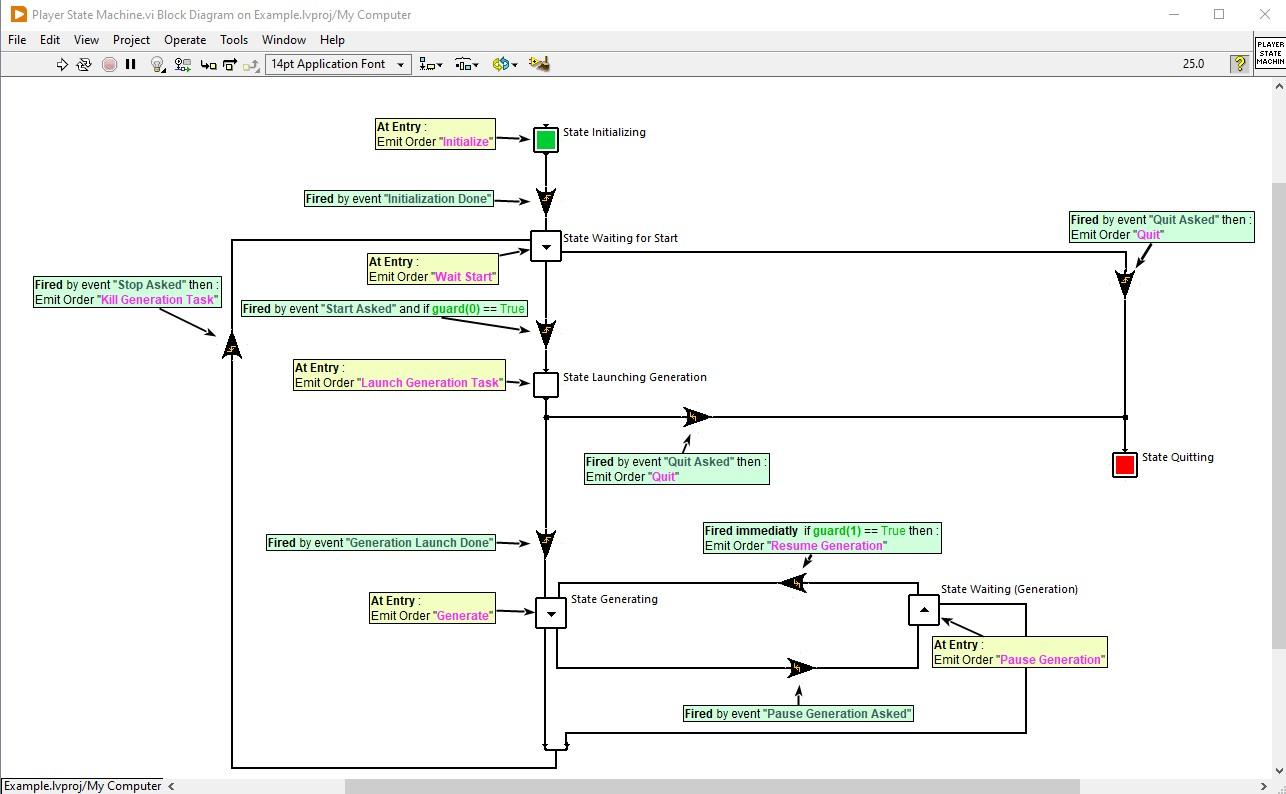
Hi there ! If this subject interest you, I'm currently working on a new State Machine Toolkit for LabVIEW. You can find some shorts videos about it here : https://www.youtube.com/@EmmanuelGeveaux Or some posts about it here : https://www.linkedin.com/posts/emmanuel-geveaux-93836130a_labview-statemachines-ugcPost-746286803261... This toolkit will be Open-Source, free for students, education purpose and within LabVIEW Community Edition use. I'd be happy to ear any feedback on those videos and posts. Best regards Emmanuel
 1 point
 -
I have been working on an architecture that uses VI Server to send messages between application instances, both local and across the network. One of the problems I have run into is the fact that VI Server calls are blocked by activity in the root loop (sometimes referred to as the UI Thread). There are several things that can cause this: other VI server calls, system dialogs (calls to the one and two button dialog functions), if the user drops down a menu but does not make a selection... (I'm sure there are more...) Since this is a pretty normal way of communicating between applications, I was wondering if anyone had any ideas for a work around. Here is a basic description of my architecture: Message is created and sent to local VI that sends to outside application instance. Local sending VI opens VI server connection to remote instance. It then calls a VI in the remote instance that takes the message as input. This remote VI them places the message in the appropriate queue on the remote instance so it gets handled. If the remote instance root loop is blocked, the sending VI on the local machine is also blocked. I could try to eliminate all system dialogs from the remote application, but that only partially addresses the issue. I really wish a future version of LabVIEW would eliminate this problem with the root loop and VI Server all together. BTW: using LV2012 but this issue exists in all versions. -John1 point
-
That custom control editor is one of the more arcane parts of LabVIEW. It exists since at least LabVIEW 2 and has seen only small improvements since. And according to its original creator back at that time it is a pretty nasty piece of software code that would need a complete rewrite to be able to make more elaborate modifications to it. Chances for that to happen are about 0.0something % nowadays. Unless someone somewhere is willing to pour a few millions into this. 😎0 points