
Adnene007
-
Posts
2 -
Joined
-
Last visited
Adnene007's Achievements



-
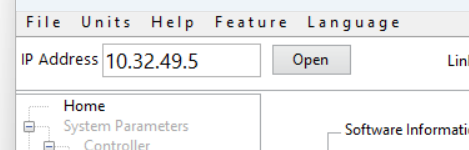
Hi, My project is to translate an application into multiple languages, However, I am facing an issue with the display of the TabControl and the TreeMenu, When I translate them into French, I have spacing problems, as you can see in the picture. I am using: LabVIEW 2024 Input file format: .json Encoding/Conversion: Unicode Thanks for help, TabControl V 2016.vi

-
Hello, I am currently experiencing an issue in my application developed using LabVIEW 2024, My project is configured as a multilingual application. However, when I convert strings to Unicode, I encounter a display problem in the TabControl and the Tree menu components. After the Unicode conversion, the text is replaced by blank spaces instead of displaying the expected values, Could you please advise on the recommended solution to preserve the correct values and ensure proper Unicode character display in these controls? https://forums.ni.com/t5/image/serverpage/image-id/353696iA182204E1B54555B/image-size/large?v=v2&px=999https://forums.ni.com/html/assets/iconmonstr-external-link-thin.svghttps://forums.ni.com/t5/image/serverpage/image-id/353698i16D2AA03F67605E6/image-size/large?v=v2&px=999 TabControl V 2016.vi