

Submitter
SUPPORT TOPIC File Information
- Submitted: Apr 25 2010 10:28 AM
- Last Updated: Mar 17 2012 03:08 PM
- File Size: 17.9MB
- Views: 5715
- Downloads: 1,846
- LabVIEW Version: 2011
- License Type: BSD (Most common)
Previous Versions
Download LVOOP Assistant 1.1.0.51
4 Votes
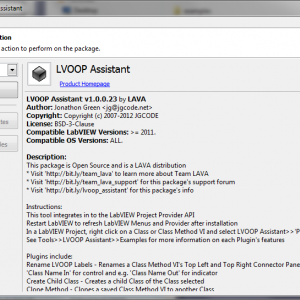
This package is Open Source and is a LAVA distribution
* Visit 'http://bit.ly/team_lava' to learn more about Team LAVA
* Visit 'http://bit.ly/team_lava_support' for this package's support forum
* Visit 'http://bit.ly/lvoop_assistant' for this package's info
Instructions:
This tool integrates in to the LabVIEW Project Provider API
Restart LabVIEW to refresh LabVIEW Menus and Provider after installation
In a LabVIEW Project, right click on a Class or Class Method VI and select LVOOP Assistant>>'Plugin'
See Tools>>LVOOP Assistant>>Examples for more information on each Plugin's features
Plugins include:
Rename LVOOP Labels - Renames a Class Method VI's Top Left and Top Right Connector Pane inputs to e.g. 'Class Name In' for control and e.g. 'Class Name Out' for indicator
Create Child Class - Creates a child Class of the Class selected
Clone Method - Clones a saved Class Method VI to another Class
New Template - Add in built templates to your Class
Methods Sandbox - Add custom templates to your Class
Refresh Icon - Quickly refresh a Method's icon without having to open the Class Properties Dialog and refresh all icons
Create Element Wrappers - Creates an API for a Class' Data Member, wrapping and delegating to the selected methods
Tools Menu:
'Preferences' - launches UI to configure the LVOOP Assistant
'Examples' - demonstrates features of each Plugin
'Package Info' - opens Package's infomation webpage
'Support Forum' - opens Support Forum webpage
'About' - dialog about this tool
Installation Locations (relative to LabVIEW directory):
'\vi.lib\addons\_LAVA\lvoop_assistant' - main code
'\resource\Framework\Providers\LvoopAssistant' - project provider plugin code
'\resource\Framework\Providers\GProviders' - project provider ini file
'\examples\LAVA\lvoop_assistant' - example code
* Visit 'http://bit.ly/team_lava' to learn more about Team LAVA
* Visit 'http://bit.ly/team_lava_support' for this package's support forum
* Visit 'http://bit.ly/lvoop_assistant' for this package's info
Instructions:
This tool integrates in to the LabVIEW Project Provider API
Restart LabVIEW to refresh LabVIEW Menus and Provider after installation
In a LabVIEW Project, right click on a Class or Class Method VI and select LVOOP Assistant>>'Plugin'
See Tools>>LVOOP Assistant>>Examples for more information on each Plugin's features
Plugins include:
Rename LVOOP Labels - Renames a Class Method VI's Top Left and Top Right Connector Pane inputs to e.g. 'Class Name In' for control and e.g. 'Class Name Out' for indicator
Create Child Class - Creates a child Class of the Class selected
Clone Method - Clones a saved Class Method VI to another Class
New Template - Add in built templates to your Class
Methods Sandbox - Add custom templates to your Class
Refresh Icon - Quickly refresh a Method's icon without having to open the Class Properties Dialog and refresh all icons
Create Element Wrappers - Creates an API for a Class' Data Member, wrapping and delegating to the selected methods
Tools Menu:
'Preferences' - launches UI to configure the LVOOP Assistant
'Examples' - demonstrates features of each Plugin
'Package Info' - opens Package's infomation webpage
'Support Forum' - opens Support Forum webpage
'About' - dialog about this tool
Installation Locations (relative to LabVIEW directory):
'\vi.lib\addons\_LAVA\lvoop_assistant' - main code
'\resource\Framework\Providers\LvoopAssistant' - project provider plugin code
'\resource\Framework\Providers\GProviders' - project provider ini file
'\examples\LAVA\lvoop_assistant' - example code
What's New in Version 1.1.0.51 (See full changelog)
- - New (): Added 'Create Element Wrappers' feature
Screenshots
Other files you may be interested in ..
- 184 Total Files
- 17 Total Categories
- 69 Total Authors
- 353,662 Total Downloads
- Code Capture Tool Latest Submission
- Ton Plomp Latest Submitter
4 user(s) are online (in the past 30 minutes)
0 members, 3 guests, 0 anonymous users
Bing (1)


