Search the Community
Showing results for tags 'com'.
Found 2 results
-
Hello. After hours, I’ve been developing a Python 3.8.20+ (because of uv support) wrapper for the TestStand COM API (I am trying to fill the "legacy code" gap by using modern astral.sh Rust-based stack for managing project iself). The main goal is a big range of both Windows OS, because of Python syntax compatibility, and engine version compatibility (automation of maintenance for both old and new setup/test stations). It is designed as a twin API, meaning that if someone is already familiar with the codebase (LabVIEW palette module calls/.NET Interop API calls), they should find it intuitive and easy to match official NI API reference documentation (which is not copyrighted, of course) with extra Pythonic "flavors/sugarifiers." I would prefer to use it for simple R&D tooling like managing custom data types, creating macros for inserting LabVIEW adapter steps, creating simple analyses for maintenance purposes (like finding obsolete modules and updating via prototypes / adapter step properties manipulation), sniffing UI messages (like creating loggers for HMIs), and [de]serializing PropertyObjects to more common formats as JSON because of dictionary integration. In the past I was experimenting with optional wxPython integration for user interfaces, but too many headaches with the scale; better to create a UI language agnostic way and server-engine layer independently in my opinion, but for now I am focusing only on a headless approach (for graphical one I am use some tweaks in higher level logic for proper handling Message Popups, but I am aware to not "bloat" wrapper with that). https://github.com/TheDomcio/py-teststand - they are examples for coverage of the core tested (not just API documentation based dumps) functionality. Feel free for feedback, but I am only experienced with the mentioned TestStand APIs/tooling (as my main workplace stack is LabVIEW (for both front-end and back-end) + TestStand ) and using .NET/Python for support utils/modules. Note: Also I had good experience with cx_Freeze support for creating self-contained executables with toolings based on the project for easier distribution; in most cases, you need just add some configuration to pyproject.toml, as newer versions of cx_Freeze slightly reduce need of creation setup/build modules.
-
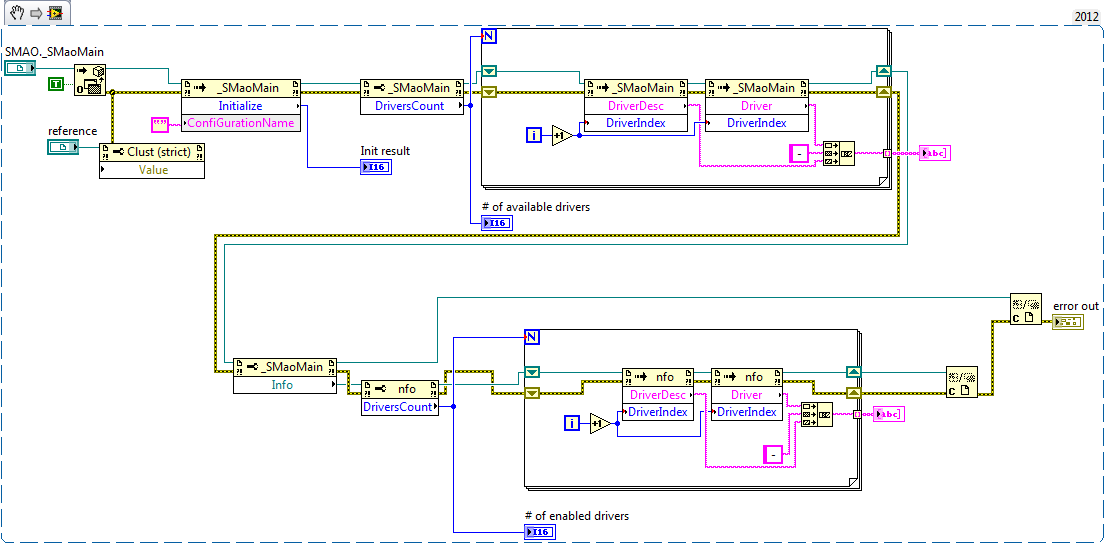
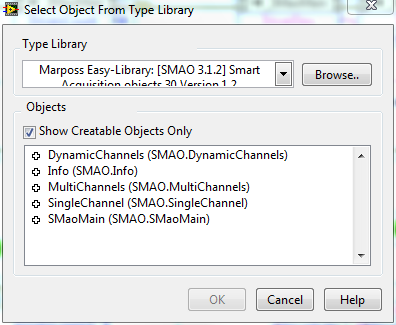
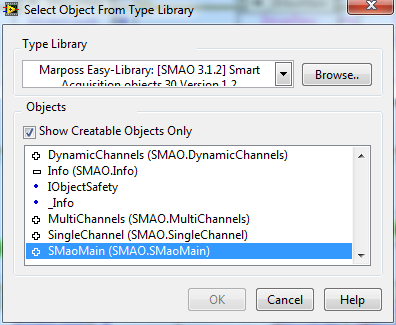
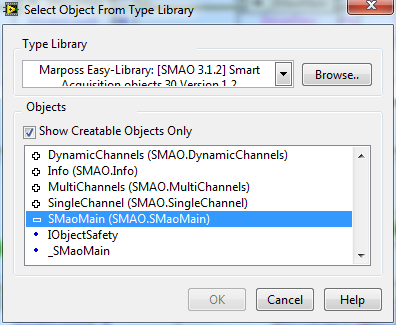
Hello, I'm trying to use a library to interface some LVDT gauges from Marposs. It's implemented through COM objects and I have it working in Excel with VBA with this code: Private Sub CommandButton1_Click()Dim oSmaoMain As SMAO.SMaoMainDim clsInfo As SMAO.InfoDim sInfo As String'Initialize the SMAOMain ObjectSet oSmaoMain = New SMAO.SMaoMainoSmaoMain.Initialize'List all the Installed DriversFor i = 1 To oSmaoMain.DriversCount sInfo = sInfo & "Driver Name : " & oSmaoMain.Driver(i) & " " & oSmaoMain.DriverDesc(i) & vbNewLineNextMsgBox sInfo, vbOKOnly, "Installed Drivers"'List all the Enabled DriversSet clsInfo = oSmaoMain.InfosInfo = ""For i = 1 To clsInfo.DriversCount sInfo = sInfo & "Driver Name : " & clsInfo.Driver(i) & " " & clsInfo.DriverDesc(i) & vbNewLineNextMsgBox sInfo, vbOKOnly, "Enabled Drivers"Set clsInfo = NothingSet oSmaoMain = NothingEnd Sub When I port this code to LabVIEW I get answer from the SMAO.SMaoMain, correct initilization and even I can read the main objects properties. The problem comes when I try to access it's child object SMAO.SMaonMain.Info. When I get the reference and I make calls to the methods/properties, I get different results, always 0 drivers enabled. I've attached the LabVIEW code I'm using and some captures of the creatable objects I can see from LabVIEW. Any idea of what could be happening?