All Activity
- Today
-
Several of the functions that this uses to generate the control are LabVIEW properties and methods that are only available in the full development environment. Control creation isn't the type of function NI had planned for LabVIEW to do at run time when it was created. What problem are you trying to solve with having this be a built application?
-

Unicode Display (TabControl and Tree Menu)
Rolf Kalbermatter replied to Adnene007's topic in User Interface
A bit confusing. You talk about French but show an English front panel. But what you see is a typical Unicode String displayed as ASCII. On Windows, Unicode is so called UTF16LE. For all the first 127 ASCII codes this means that each character results in two bytes, with the first byte being the ASCII code and the second byte being 0x00. LabVIEW does display a space for non-printable characters and 0x00 is non-printable unlike in C where it is the End Of String indicator. So you will have to make sure the control is Unicode enabled. Now Unicode support in LabVIEW is still experimental (present but not a released feature) and there are many areas where it doesn't work as desired. You do need to add a special keyword to the INI file to enable it and in many cases also enable a special (normally non-visible) property on the control. It may be that the Tab labels need to have this property enabled separately or that Unicode support for this part of the UI is one of the areas that is not fully implemented. Use of Unicode UI in LabVIEW is still an unreleased feature. It may or may not work, depending on your specific circumstances and while NI is currently actively working on making this a full feature, they have not made any promises when it will be ready for the masses. -
Hi, My project is to translate an application into multiple languages, However, I am facing an issue with the display of the TabControl and the TreeMenu, When I translate them into French, I have spacing problems, as you can see in the picture. I am using: LabVIEW 2024 Input file format: .json Encoding/Conversion: Unicode Thanks for help, TabControl V 2016.vi

-

[CR] UI Tools addon: Control class
Francois Normandin replied to Francois Normandin's topic in Code Repository (Certified)
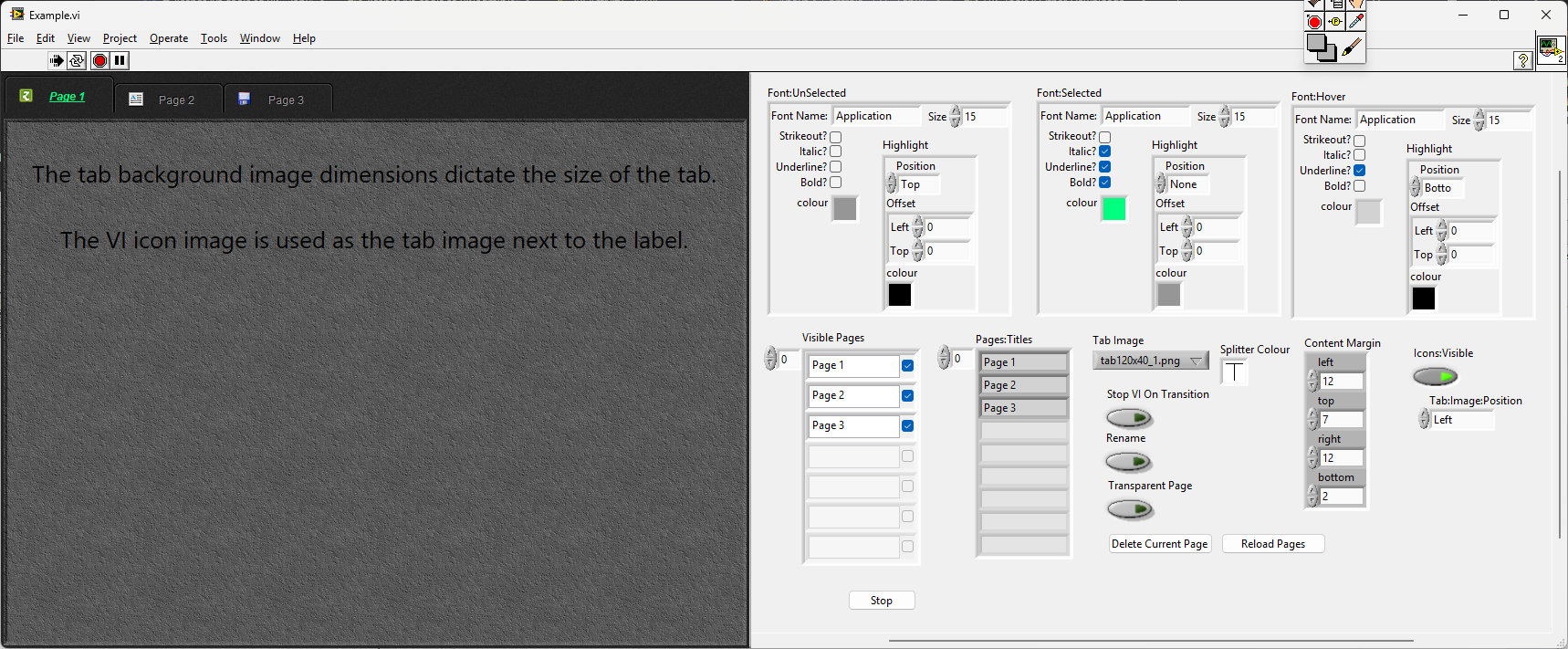
Vandy, judging by the other threads where you posted, it seems you want to generate buttons with icons dynamically in an EXE. (my understanding) Although you might succeed in creating VI Controls through VI Server from a build executable, you will need LabVIEW development on the computer and you will not be able to modify the front panel of your EXE unless you script your buttons on an unloaded VI and then load it dynamically in your EXE`s subpanel. It defeats the purpose of the compiled binary in the first place. All the toolkits you are looking at are meant to help you generate libraries of reusable assets that meet your style and needs, but that won't help you in a dynamic UX. For that, the only thing I know works (well enough) in LabVIEW is to use a picture control, possibly wrapped into a QControl if you are thinking big. - Yesterday
-
[CR] UI Tools addon: Control class
Rolf Kalbermatter replied to Francois Normandin's topic in Code Repository (Certified)
First, attaching your question to random (multiple) threads is not a very efficient way of seeking help. I'm not sure I understand your question correctly. But there is the Application Builder, which is included in the Professional Development License of LabVIEW, that lets you create an executable. It still requires the LabVIEW Runtime Engine to be installed on computers to be able to run it, but you can also create an Installer with the Application Builder that includes all the necessary installation components in addition to your own executable file. - Last week
-

[CR] UI Tools addon: Control class
Vandy_Gan replied to Francois Normandin's topic in Code Repository (Certified)
Francois, Is it possible to generate an application that runs in a runtime environment only? -
hooovahh, I have a question: Is it possible to generate an application(exe in windows) that runs in a runtime environment only?
-
 Hello, I am currently experiencing an issue in my application developed using LabVIEW 2024, My project is configured as a multilingual application. However, when I convert strings to Unicode, I encounter a display problem in the TabControl and the Tree menu components. After the Unicode conversion, the text is replaced by blank spaces instead of displaying the expected values, Could you please advise on the recommended solution to preserve the correct values and ensure proper Unicode character display in these controls? https://forums.ni.com/t5/image/serverpage/image-id/353696iA182204E1B54555B/image-size/large?v=v2&px=999https://forums.ni.com/html/assets/iconmonstr-external-link-thin.svghttps://forums.ni.com/t5/image/serverpage/image-id/353698i16D2AA03F67605E6/image-size/large?v=v2&px=999 TabControl V 2016.vi
 -
Adnene007 joined the community
-
I haven't recently tried to use that information but will have to soon for a few projects. From a quick cursory glance it would seem still relevant. There is of course the issue of computer technology in general and Linux especially being a continuous moving target, so I would guess there might be slight variations nowadays to what was the latest knowledge when that document was written, but in general it seems still accurate.
-
 Sergio Valle dos Reis joined the community
 -
 unimatrix joined the community
 -
 BevisChan joined the community
 -
 windbear joined the community
 -
 bartek8118 joined the community
 -
 Soumik1506 joined the community
 -
Hello Rolf, thank you for the help. I did download the source files from HDF5 and HDF5Labview. You're are right it can take some time to get it working. For that reason I'll start with making a datastream from the cRIO to the windowns gui pc and use that for now. At least I'll be able to reduce some risk. Meanwhile I'll try to get a the Cross compiler working I'll should at lease be able to get a "hello world" running on the cRIO and take some steps if I can find some time. I did find the following site: https://nilrt-docs.ni.com/cross_compile/cross_compile_index.html Do you think this site is still up to date or is it a good point to start? I am only targeting a Ni-9056 for now. Thanx!
-
 DenisLog joined the community
 -
 Knox joined the community
 -
 yingfanxing joined the community
 -

Tree control how to add custom icon to column
FANBIN86 replied to Vandy_Gan's topic in LabVIEW Community Edition
This 2D picture is overlaid transparently on the tree, and the graphics are drawn according to the coordinates (row, col) you need for display. - Earlier
-
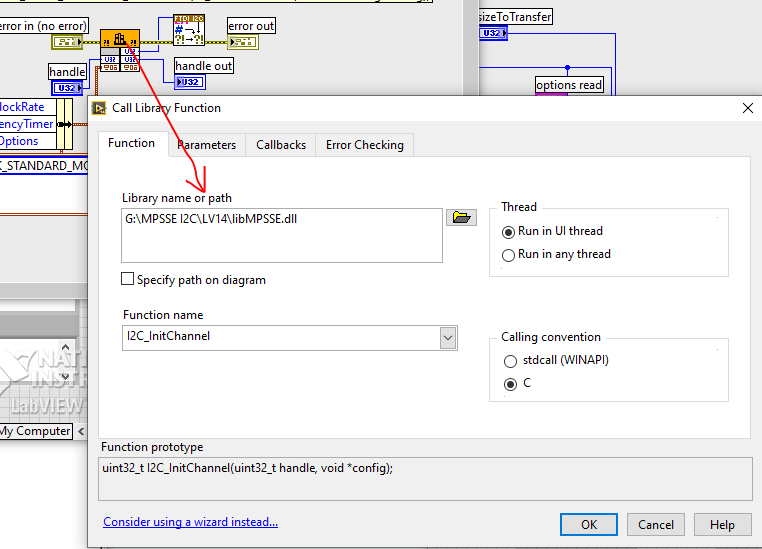
There is an updated LibMPSSE library on FTDI's website. LibMPSSE-I2C Examples https://www.ftdichip.com/old2020/Support/SoftwareExamples/MPSSE/libMPSSE.zip If you replace the libMPSSE.dll in the project folder with the one from the following location it should work. It's possible that when you open the VI the run arrow will be broken. In this case you need to set the Library Name for the Call Library Function Node in each subVI. I've just tried it, and it works.
-

LabVIEW FTDI MPSSE I2C DeviceRead always returning 0xFF
gammaray replied to Arj's topic in Code Repository (Uncertified)
By the way, this library is a bit weird.I haven't been able get the master yet to send an ACK when reading, if more bytes need to be read and a NAK after the last byte has received. -
LabVIEW FTDI MPSSE I2C DeviceRead always returning 0xFF
gammaray replied to Arj's topic in Code Repository (Uncertified)
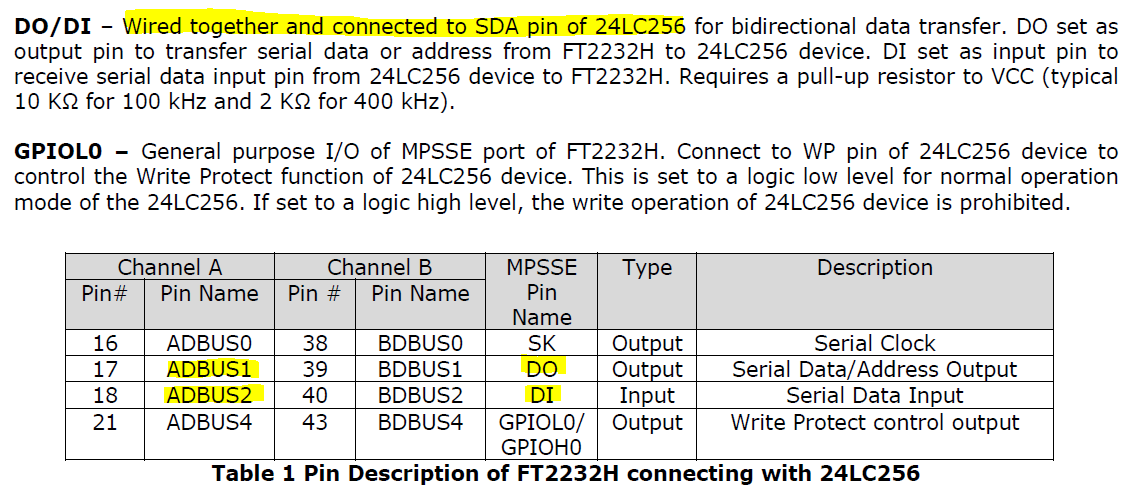
Hi, It was long ago when you asked. You've probably already solved it. I just started using the FT2232H in LabVIEW and noticed your question. Connect the DO and DI pins to each other and it will work.
-
Never used them or had a need for them.
-
Unfortunately, I don’t have that privileged access, no… 😄 A very simple example: it would allow for consistent display between a table and its corresponding intensity chart, right? But also for any display that needs to be right-to-left, such as numbers,etc.
-
And what your point of vue about Q Controls ?
-
Growing direction of arrays at edit time
Rolf Kalbermatter replied to ManuBzh's topic in LabVIEW General
I can't really remember ever having seen such a request. And to be honest never felt the need for it. Thinking about it it makes some sense to support it and it would probably be not that much of work for the LabVIEW programmers, but development priorities are always a bitch. I can think of several dozen other things that I would rather like to have and that have been pushed down the priority list by NI for many years. The best chance to have something like this ever considered is to add it to the LabVIEW idea Exchange https://forums.ni.com/t5/LabVIEW-Idea-Exchange/idb-p/labviewideas. That is unless you know one of the LabVIEW developers personally and have some leverage to pressure them into doing it. 😁 -
I didn't know this site Shaun, thank you. All of three of us in this topic, started LabVIEW a loooonnnggg time ago it seems...
-
M. Darren Tiger do ban them publicly ! 😄
-
Absolutely echo what Shaun says. Nobody banned them. But most who tried to use them have after some more or less short time run from them, with many hairs ripped out of their head, a few nervous tics from to much caffeine consume and swearing to never try them again. The idea is not really bad and if you are willing to suffer through it you can make pretty impressive things with them, but the execution of that idea is anything but ideal and feels in many places like a half thought out idea that was eventually abandoned when it was kind of working but before it was a really easily usable feature.
-
They aren't banned. They are just very hard to debug when they don't work and have some unintuitive behaviours. I have Toolbar and Tab pages XControls that I use all the time and there is a markup string xcontrol here. If you are a real glutton for punishment you can play with xnodes too
-
For sure, this must have been debated here over and over... but : what are the reasons why X-Controls are banned ? It is because : - it's bugged, - people do not understand their purpose, or philosophy, and how to code them incorrectly, leading to problems.
-
I'd would find useful (may be it's already exists) to choose the editing growing direction of an array. It's used to be from left to right and/or up to down, but others directions could be usefull. Yes I can do it programmatically, but it's cumbersome and it useless calculus since it could directly done by the graphical engine. Possible (and I forget about it) or already asked on the wishlist ? (I'm quite sure there's of one the two !) Emmanuel
-
 Using LV 2021 SP1, I am trying to release my source code but realized that, in addition to the problem described in this thread, I am missing .rtm files that I took great care to move over in their respective libraries (in order that they be included in the release). They are simply ignored during the source code distribution creation, as they would otherwise show up in the list of files generated during the build (which I am using in the script described in the quoted thread above). Note that it is not possible to see which files of a library are included in the Source Files tab of the source code distribution properties dialog, only that said library (XXX.lvlib) is included. I suppose a workaround would be to remove this type of files (and other non .vi(m), .ctl, etc, files) from libraries and individually mark them as always included, but that kind of defeats the purpose of using libraries to provide self-contained code and asset packages. Is that a described feature or a missing one?