Nicola Cesca Posted June 18, 2015 Report Posted June 18, 2015 I can't call the following dll function .... int sqlite3_open( const char *filename, /* Database filename (UTF-8) */ sqlite3 **ppDb /* OUT: SQLite db handle */); Quote
ShaunR Posted June 18, 2015 Report Posted June 18, 2015 I can't call the following dll function .... int sqlite3_open( const char *filename, /* Database filename (UTF-8) */ sqlite3 **ppDb /* OUT: SQLite db handle */); Why not? Quote
Nicola Cesca Posted June 18, 2015 Author Report Posted June 18, 2015 uint32_t sqlite3_open(const CStr arg1, uint8_t *arg2); do not work ... Quote
ned Posted June 18, 2015 Report Posted June 18, 2015 How did you configure the call library function node? What exact error occurs? "Does not work" is not enough information. Show us your code. Quote
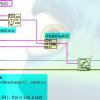
Nicola Cesca Posted June 18, 2015 Author Report Posted June 18, 2015 (edited) here is. I'm not an expert, please help me. Edited June 18, 2015 by Nicola Cesca Quote
Rolf Kalbermatter Posted June 18, 2015 Report Posted June 18, 2015 here is. I'm not an expert, please help me. of course that won't work! That sqlite3 **ppDb parameter is a pointer to a pointer. The inner pointer is really a pointer to a structure that is used by sqlite to maintain information and state for a database, but you as caller of that API should not be concerned about that contents. It's enough to treat that pointer as a pointer sized integer that is passed to other sqlite APIs. However in order for the function to be able to return that pointer it has to be passed as reference, hence the pointer to pointer. Change that parameter to be a pointer sized integer, Passed by reference (as pointer) and things look a lot different. However, seeing you struggle with such basic details, it might be a good idea to checkout this here on this site. Someone else did already all the hard work of figuring out how to call the sqlite API in LabVIEW. Quote
Nicola Cesca Posted June 18, 2015 Author Report Posted June 18, 2015 Someone else did already all the hard work of figuring out how to call the sqlite API in LabVIEW. but i do not have lv2011 Quote
Rolf Kalbermatter Posted June 18, 2015 Report Posted June 18, 2015 Someone else did already all the hard work of figuring out how to call the sqlite API in LabVIEW. but i do not have lv2011 Well, I'm not sure what your hourly rate is. But a LabVIEW upgrade is almost certainly cheaper than trying to recreate that effort for yourself, if you intend to use the result in anything that is even remotely commercial. Quote
ShaunR Posted June 18, 2015 Report Posted June 18, 2015 Someone else did already all the hard work of figuring out how to call the sqlite API in LabVIEW. but i do not have lv2011 The SQLite API for LabVIEW works as far back as 2009 Quote
Nicola Cesca Posted August 3, 2015 Author Report Posted August 3, 2015 (edited) Thank you for all suggestion but I want to do it by myself. It's an test and I want to pass it. So I can better understand many things. Edited August 3, 2015 by Nicola Cesca Quote
Recommended Posts
Join the conversation
You can post now and register later. If you have an account, sign in now to post with your account.