All Activity
- Past hour
-
 HunterX joined the community
 -
Hello LabVIEW Community, I'm facing challenges running a legacy LabVIEW 2012 SP1 application on Windows 11 and would appreciate guidance. Situation: Production system: LabVIEW 2012 SP1 program on Windows 7 Need to evaluate/extend program on Windows 11 development machine Have .vi, .ctl, .lvlps files but no deve I acceptlopment license Attempted Solutions: ( I assume ) Installed LabVIEW 2012 SP1 Runtime (patch files available, but installer blocked by Windows 11 security) Windows 11 blocks lvrunner.exe installation; only support files install .vi files associate with NILVWSPostInstallerScript instead of LabVIEW Newer Runtime versions (2022 Q3) blocked by company firewall Questions: Has anyone successfully run LabVIEW 2012 Runtime on Windows 11? Are there workarounds for Windows 11 security blocking older NI installers? Can LabVIEW 2022+ Runtime open 2012 .vi files in read-only mode? Alternative viewers or methods to examine .vi structure without full LabVIEW? ---------------------------------------------------------------------------------- Any insights would be greatly appreciated.
- Today
-

Ctl reedited is invalid after saved
ensegre replied to Vandy_Gan's topic in LabVIEW Community Edition
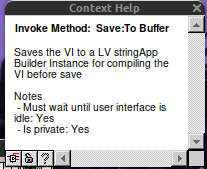
I would have said why don't you use Save.Instrument which is a public method, but I see that it is not supported in runtime, and that is stated expressly. A fortiori, a private method which "must wait until the user interface isidle" might be a completely IDE thing. -

Ctl reedited is invalid after saved
Vandy_Gan replied to Vandy_Gan's topic in LabVIEW Community Edition
ensegre, thank you for your reply, I want to achieve one application(exe) that has the function: edit a template boolean ctl's BoolText and save to new boolean ctl by programming. And the code works fine in development environment, but it is invaild at runtime when used the exe built. -
Ctl reedited is invalid after saved
ensegre replied to Vandy_Gan's topic in LabVIEW Community Edition
I do not know what is a LV stringApp instance, but I doubt that it is exactly a loadable control. What are you trying to achieve exactly?
-
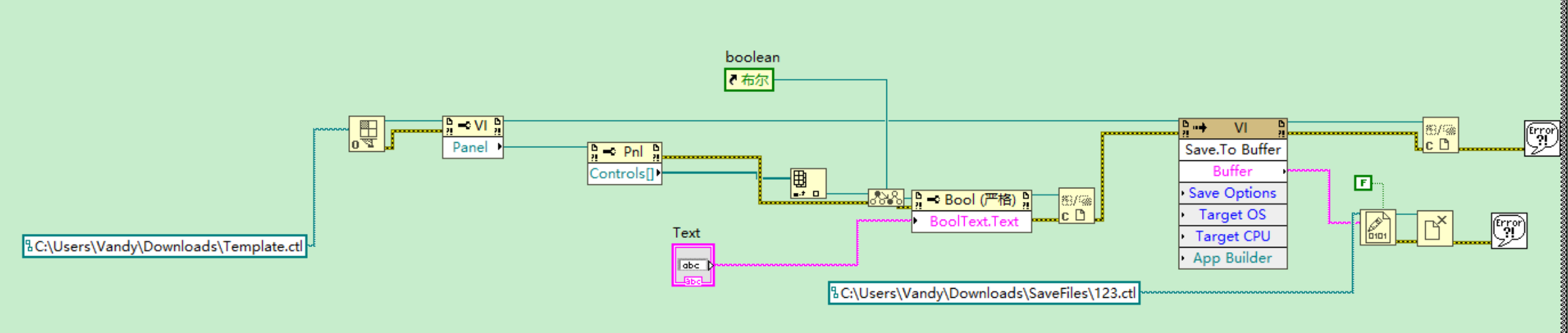
Hi everyone, there was a code's picture that reedit ctl‘s Booltext and saved to new file, it workd ok in development environment,but new ctl could be invalid when it run as exe at runtime ,I did not how to solute it.Could you give me some suggestion. Thank you.
-
 Wutao joined the community
 - Yesterday
-
-
How to save preview version in runtime
ensegre replied to Vandy_Gan's topic in LabVIEW Community Edition
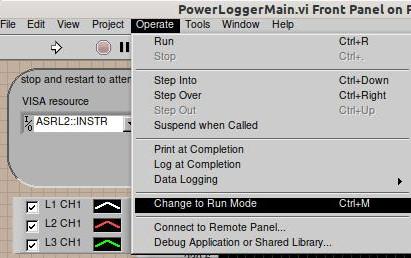
Ctrl-M?
-
Hi everyone, I want to save vi or ctl to preview version,but exe runned at runtime could not be ok, who can give me help? Thanks,good luck.
- Last week
-
 fr_leblanc joined the community
 -
 inman joined the community
 -
 Tiandazhou joined the community
 -
 Benzo joined the community
 -
 skuen joined the community
 -
 DDuque joined the community
 -
 tkolchak joined the community
 -

Help saving a newer LabVIEW project for an older version of LabVIEW
JBC replied to JBC's topic in LabVIEW General
Wow, that is good news. Maybe I will try to get it going again. -
agreed. and an openg feed would be pretty cool
-
 Actually LabVIEW for Mac OS is again an official thing since 2025 Q3. Community Edition only, can't really buy it as a Professional Version but it's officially downloadable and supported. 2024Q3 and 2025Q1 was only a semi official thing that you had to download from the makerhub website. https://labviewwiki.org/wiki/LabVIEW_for_macOS
 -
 Ecollier joined the community
 -
Help saving a newer LabVIEW project for an older version of LabVIEW
JBC replied to JBC's topic in LabVIEW General
@ensegreThanks! -
Help saving a newer LabVIEW project for an older version of LabVIEW
JBC replied to JBC's topic in LabVIEW General
@BryanThanks for the info, I tried multiple methods to get CE going again but none worked. This is CE on a MAC (my personal computer) which as far as I can tell is no longer supported. It sucks they force you to update the CE version and will not let you simply use the CE version you have. I have a work windows PC that I have a LV2021 perpetual license for though I have kept CE off that computer since that one is my commercial use dev machine and it works. I dont want NI to update packages (during CE install) on it that break my 2021 dev environment. -
It could also be the assert a few lines above or somewhere there around there. Hard to say for sure. gTotalUnitBases being not 9 is a possibility but probably not very likely. I suppose that is somewhere initialized based on some external resource file, so file IO errors might be a possibility to cause this value to not be 9. The other option might be if cvt_size ends up evaluating to 0. DSNewPClr() is basically a wrapper with some extra LabVIEW specific magic around malloc/calloc. C standard specifies for malloc/calloc: "If size is zero, the behavior of malloc is implementation-defined" meaning it can return a NULL pointer or another canonical value that is not NULL but still can not be dereferenced without causing an access error or similar. I believe most C compilers will return NULL. The code definitely assumes that even though the C standard does not guarantee that. AlignDatum() calculates the next valid offset with adjusting for possible padding based on the platform and the typedef descriptor in its first parameter. Difficult to see how that could get 0 here, as the AlignDatum() should always return a value at least as high as the second parameter and possibly higher depending on platform specific alignment issues. This crash for sure shows that some of the API functions of Mini vMac are not quite 100% compatible to the original API function. But where oh where could that be? This happening in InitApp() does however not spell good things for the future. This is basically one of the first functions called when LabVIEW starts up, and if things go belly up already here, there are most likely a few zillion other things that will rather sooner than later go bad too even if you manage to fix this particular issue by patching the Mini vMac emulator. Maybe it is some Endianess error. LabVIEW 3 for Mac was running on 68000 CPU which is BigEndian, not sure what the 3DS is running as CPU (seems to be a dual or quad core ARM11 MPCore) but the emulator may get some endianess emulation wrong somewhere. It's very tricky to get that 100% right and LabVIEW does internally a lot of Endianess specific things.
-
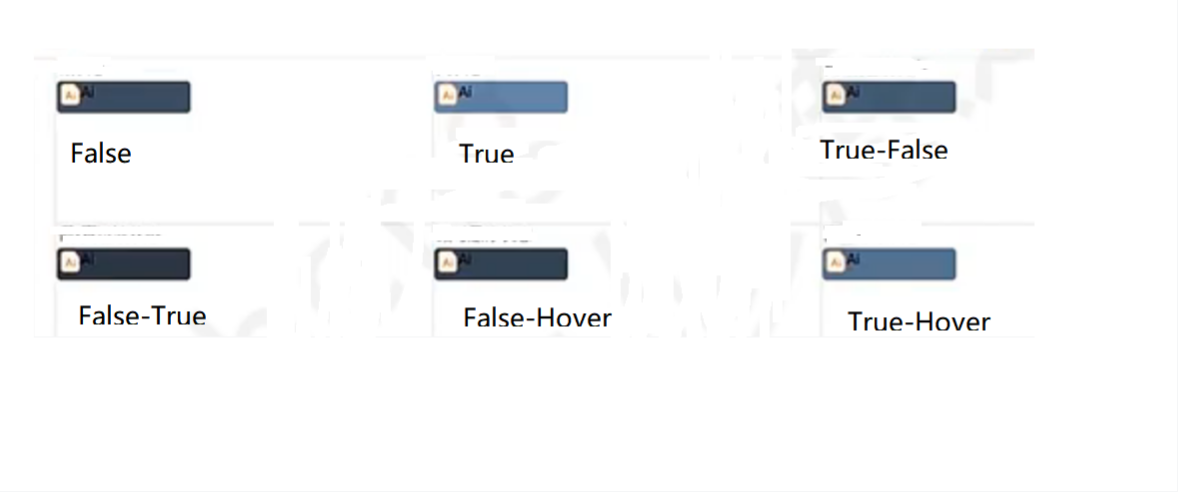
Hi everyone, I have a question that how I get six style in boolean control ,the picture shows six style, I want to get those styles and display on picture controls by programing. Can somebody give me some suggestion or idea. Thanks a lot.
-

Help saving a newer LabVIEW project for an older version of LabVIEW
Bryan replied to JBC's topic in LabVIEW General
You can 'renew' your LabVIEW CE license this way if you haven't tried it: Go to https://www.ni.com Hover over your user icon in the upper right and select "My Account". Scroll down to "Products and Services" and select "View my products". Scroll down to find your LabVIEW Community Edition and select "Renew" from the drop-down menu to the right. Apologies if you've already tried this and still had issues. Maybe someone else will find it useful. -
Help saving a newer LabVIEW project for an older version of LabVIEW
ensegre replied to JBC's topic in LabVIEW General
There should be a forum on the dark side for that, but anyway, here you go. LabGRAD_21.zip -
Hello, I was using LabVIEW CE 2023 back in 2023 and my CE license has now expired. I have had no luck over the years getting a renewed LabVIEW CE license or a NI wipe and CE re-install to work on my computer. I spent so much time trying to get LV CE to go again that I no longer have a desire to use LV CE and will stick to my perpetual license for LV2021 until I stop working or it stops working. That being said I created a project in 2023 that I would like to re-visit but I cant open it with my trusty LabVIEW 2021 version. Would someone with a LabVIEW version >= 2023 be willing to open this project and save it for compatibility with LV2021? I have attached the project zip and you can also find it here if github is your thing: https://github.com/dnparadice/LabGRAD/tree/main Thanks -Jay LabGRAD.zip
-
Hi EK - One option is to go to the website astronics.com/ballard-technology. Their Contact page has an email address and number for technical support. It's likely that they can send you legacy Ballard drivers. Good luck. -Joe
- Earlier
-
Hi All, EK here. I would like to ask if anyone has the driver package for the Ballard PC1553-2 ISA MILBUS card. Unfortunately, we do not have the driver. I would really appreciate it if someone could help to share it. Thanks in advance.
-
 This is clearly the assert just after `DSNewPClr()` call. Anyone knows what packer tool was used to decrease size of LabVIEW-3.x Windows binaries? It is clear the file is packed, but I'm not motivated enough to identify what was used. UPX had a header at start and it's not there, so probably something else. Anyway, without unpacked binary, I can't say more from that old version. Though the version 6.0, although compiled in C++, seem to have this code very similar, and that I can analyze: if (gTotalUnitBases != 9) DBAssert("units.cpp", 416, 0, rcsid_234); cvt_size = AlignDatum(gTDTable[10], 4 * gTotalUnitBases + 18); gCvtBuf = DSNewPClr(cvt_size * (gTotalUnits - gTotalUnitBases + 1)); if (gCvtBuf == NULL) DBAssert("units.cpp", 421, 0, rcsid_234); The 2nd assert seem to correspond to yours, even though it's now in line 421. It's clearly "failed to allocate memory" error.
 -
 "I don't want your damn lemons!"
 -
 Great song.
 -
 Here are the contents of LV_Fail.txt (I am aware the year is set wrong): --- Wed, Jan 24, 1996 2:43:05 PM Failure : "units.c", line 334 LabVIEW version 3.0.1 Please record the preceding information and contact National Instruments for Technical Support 0x001A8F4E MacStackCrawl+204 0x001AA17A Die+38 0x001AA118 DBAssert+128 0x0021C436 InitUnitManager+298 0x001BA1B6 InitApp+1860 0x00198406 WBackground+78 0x00187080 main+32766
 -
For fun. 😄 "Science isn't about why; it's about why not!" - Cave Johnson