ShaunR
-
Posts
5,050 -
Joined
-
Days Won
313
Recent Profile Visitors
66,923 profile views


.thumb.jpg.5d2ee2fea691c9fe3fab4270ba8e531d.jpg)


ShaunR's Achievements






-
The CRC is in hex. You are using to Decimal instead of to Hex ->

-
Have you not seen my signature?
-
Really? Wow. I hope you don't leave. Is it that you find it hard to identify them? I must admit I find it curious that AI postings (or any spam) would affect someone physically. I wrote a load of spam defence stuff in the past for my own platforms and saw it more of an engineering challenge than a depressing state of play. From my perspective, the amount of spam on these forums is quite low. Annoying, maybe, but certainly not enough to make me leave (much to the chagrin of many of the humans in here )
-
I'm a programmer, not a social worker. My AI concerns are around privacy, confidentiality and data exfiltration. I don't really do hand-wringing, feely stuff. My discussion input, in this thread, is about how to keep lavag.org relevant by utilising AI instead of just trying to defend against it. One way is to make lavag.org interactive when the few that still inhabit the forum (and the even fewer that answer questions) are asleep or do not have domain expertise. People with questions often want answers quickly because they have already spent days trying to resolve something and a forum is last resort. AI means that they may not have to wait 2 weeks for Rolf or you to come back from holiday to get something targeted, specific and useful.
-
That's such a Linux thing. "Ask it the way I want or you 4 pages of me berating you about how to ask a question". Asking erudite questions is simply an efficiency. Don't care. Never did. Overrated. There are symposiums and meetups for that. The forums are just a way to organise it. I don't see any downsides here. Got anything else?
-
AI bot's seem fairly obvious to me, ATM. They don't really understand comma's and lists. On a different note. I've thought Lavag would be a good place for it's own AI bot. It could link questions to previous resolved answers. Automatically identify cross-posts. Guard against spam bots etc. Lavag.org is a huge resource that could be targeted domain training. Known meat-sacks could upvote and downvote the AI bot's response to train it. Too many downvotes, it disappears from the responses so as to not pollute with stupid responses. I think lavag could utilise a simple AI as a first interaction support. The expertise of a years worth of LabVIEW (experienced intern). A users question is usually a much better search criteria than the site search where you need to know the keywords.
-

NI 9145 with NI 9476 + 9375 on TwinCAT doest work
ShaunR replied to Gabriel Utomo's topic in Hardware
I should also point out it is forum etiquette to state and link if a question is a cross-post on Ni.com. https://forums.ni.com/t5/Industrial-Communications/NI-9145-with-NI-9476-9375-in-TwinCAT/td-p/4485626 -
NI 9145 with NI 9476 + 9375 on TwinCAT doest work
ShaunR replied to Gabriel Utomo's topic in Hardware
IIRC. There is a safe-mode that will set outputs to a safe value (presumably 0v for sourcing 24v) when active. However. I think the status LED of the controller should be blinking red to signify that. Apart from that. If a variable can be set but it's not being replicated in the slave device (the NI device is a slave, right?) then it points to a mismatch in the PDO mapping. I do not know how you would tell that from the XML files you supplied but you may know more about their construction than I. -
NI 9145 with NI 9476 + 9375 on TwinCAT doest work
ShaunR replied to Gabriel Utomo's topic in Hardware
Mailing lists were great for maintainers, horrendous for users. Waiting a week to see if your question was answered and trawling through the archives in case you missed a response. One's issue getting engulfed in spam of the same simple issues posted by different people over and over again. I'm glad the days of IRC, Mailing Lists and, hopefully, Discord, are way behind us. Even SQLite eventually dumped the mailing list and support has greatly improved because of it. -
NI 9145 with NI 9476 + 9375 on TwinCAT doest work
ShaunR replied to Gabriel Utomo's topic in Hardware
Discord is a poor support platform and I view Discord with the same contempt as IRC (and for similar reasons). If one thinks Lavag.org is a sub-optimal platform with little activity; answer the question or suggest posting the same question on NI.com. EtherCAT is a niche expertise and if you can't find help here or on NI.com, I very much doubt you will find it on your Discord server. -
NI 9145 with NI 9476 + 9375 on TwinCAT doest work
ShaunR replied to Gabriel Utomo's topic in Hardware
Unlikely. -
Lots of exclamation points against using Bytes At Serial Port and then goes on to use Bytes At Serial Port More seriously though. You avoid a lot of the problems if you just pop up on the read prototype and set it to Synchronous IO mode instead of Asynchronous.
-
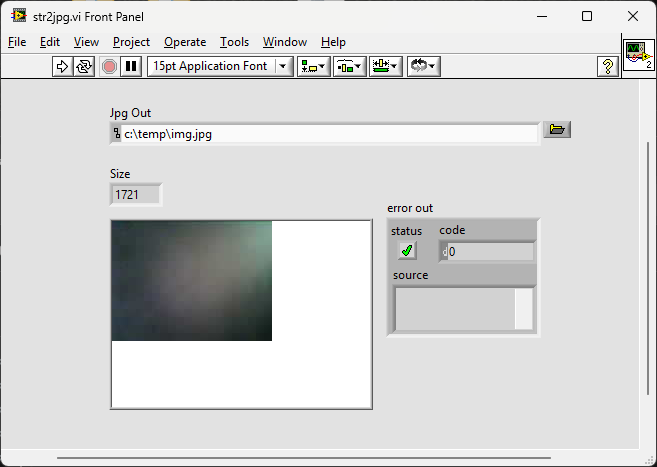
I don't have an Arduino to hand but here is a quick and dirty conversion of your dump file so you can see how it would be done. Not much in the JPG to look at though str2jpg.zip
-
Is the OpenG Suite Still Maintained?
ShaunR replied to seekingInsight_ThankYou's topic in OpenG General Discussions
Why is the XKCD mage URL (for hotlinking/embedding) blocked for posting? -> "The link could not be embedded because that URL is not allowed." -
Is the OpenG Suite Still Maintained?
ShaunR replied to seekingInsight_ThankYou's topic in OpenG General Discussions
I see that as a testament to quality. No contact, no bugs.