Runjhun Posted February 13, 2014 Report Posted February 13, 2014 Hi,I am using a .net DLL in LabVIEW, that generates some events. I am registering for those events at the start of the application and then waiting for those events in the Event Structure.All this is done in a re-entrant VI and I am using 'Start Asynchronous Call' node to launch the VIs dynamically.Everything is working fine. But when I run the VIs for long, the memory is continuously piling up. I am not sure it is happening because of LabVIEW or .net DLL.Does anyone has any idea about this ? Any help would be greatly appreciated. Quote
LogMAN Posted February 13, 2014 Report Posted February 13, 2014 Could you provide an example project? There have certainly been memory leaks with some .NET libraries ( Ping for example ), but it is hard to tell without seeing the actual implementation. However the usual issue is related to references that are not released ( using the 'Close Reference' function from .NET palette ). I've attached a code example with two implementations of the same function ( System.Xml.XmlDocument ), one releases the reference, the other not. Disable either of them and watch the memory usage. Quote
Runjhun Posted February 13, 2014 Author Report Posted February 13, 2014 Thanks for your quick response. With your example, I have one doubt, in case of accessing .net DLL or components, will these references won't be cleaned up the .net Garbage Collector. Will give more details on implementation. Quote
Runjhun Posted February 17, 2014 Author Report Posted February 17, 2014 Hi, I had run few more tests and was able to reduce the memory leak to some extent. But still I could observe the leak. With Desktop Excecution Trace Toolkit, I dont see any Memory leaks and the Profile Performance and Memory usage for all the VIs also is constant. I am really unable to narrow down the problem. Whether its LabVIEW, .net DLL or God knows what ? Quote
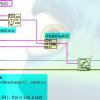
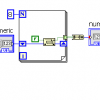
mje Posted February 17, 2014 Report Posted February 17, 2014 Your "Starting Clones_HeavyLeak.png" code opens a VI refnum but does not close it so it makes sense that memory would increase on each call. Does your "Starting Clones_SlowLeak.png" code do the same? Quote
Runjhun Posted February 18, 2014 Author Report Posted February 18, 2014 (edited) In Heavy Leakage code, the Open VI was called again and again, thats why memory leak was more. I was closing the VI ref inside the clone. In Slow leakage code, Open VI is kept outside the while loop, thats why memory leak is less. I am closing the reference, but its not captured in the screenshot. Edited February 18, 2014 by Runjhun Quote
mje Posted February 18, 2014 Report Posted February 18, 2014 In Heavy Leakage code, the Open VI was called again and again, thats why memory leak was more. I was closing the VI ref inside the clone. Indeed, constantly opening the refnum would cause memory to increase, but there would be no way for your clone to close that refnum from the diagram you showed because the clone doesn't know what the refnum is. Note if your clone obtains a refnum to itself they are different refnums, both must be closed. "Static" refnums (those that originate from constants) do not need to be closed, but anything you get from an Open primitive must have a corresponding Close at some point. There are a few special cases too where refnums returned from property nodes also need to be explicitly closed-- these are usually documented but not always (the XML library for instance is particularly bad/inconsistent). My recommendation is to review your refnum usage, you seem to have a few of them floating around there. I give up. Editing forum posts is just plain broken. If this edit results in illegible html... Quote
dannyt Posted February 21, 2014 Report Posted February 21, 2014 I had a similar problem, I had a long running LabVIEW executable that I noticed was typically was using over 2G's of memory on the PC after a couple of days. After spending a morning very closely looking through the code I managed track down a number of ref's I was failing to close and by closing all my references I got back down to a more reasonable memory usage that did not grow larger day by day. 2 Quote
Runjhun Posted February 21, 2014 Author Report Posted February 21, 2014 Thanks. Its been days I am reviewing my code but to no luck. Are there any tools available ? I am using the Profile Performance and Memory option from the 'Tools' menu but all the VIs have fixed memory. Let me know if anything is available . Quote
Mark Smith Posted February 22, 2014 Report Posted February 22, 2014 The Desktop Execution Trace toolkit (http://sine.ni.com/nips/cds/view/p/lang/en/nid/209044 ) will help you find memory leaks in LabVIEW. It can show all the memory allocation and deallocation that LabVIEW does. If it's not LabVIEW leaking memory (if it is the .NET DLL) then maybe the Process Explorer (http://technet.microsoft.com/en-US/sysinternals) can help. Or maybe one of the other SysInternals tools - it's been a while since I needed them and my memory may not be accurate. At any rate, that toolset can be very valuable to a Windows platform developer. Mark Quote
VPhoenix17 Posted May 18, 2014 Report Posted May 18, 2014 Hello everybody, I have one simple question related to this code: Is it better when you call the .NET several times, to open and close it inside the loop rather than open it before, and closing it after the loop has ended?. It might be a silly question, I am not a Labview expert. Another question related to the .NET dll. I have tried the SimpleTaskMonitor.vi (it's one of the Labview examples) in 2 computers with the same characteristics, but I am getting this error accessing the .NET dll in one of them: Error creating instance of PerformanceCounter in assembly System.Diagnostics.PerformanceCounter, System, Version=2.0.0.0, Culture=neutral, PublicKeyToken=b77a5c561934e089, (System.FormatException: Input string was not in a correct format.) <append><b>System.FormatException</b> in SimpleTaskMonitor.vi Searching about this problem I have seen that this might be because of the regional configuration, but both cpus have the same one. This is my first post in this forum (I hope the first of many) so my apologize if I am doing something wrong. Maybe I would have to add a new post about this problem. Thank you in advance. Quote
Rolf Kalbermatter Posted May 18, 2014 Report Posted May 18, 2014 Hello everybody, I have one simple question related to this code: Is it better when you call the .NET several times, to open and close it inside the loop rather than open it before, and closing it after the loop has ended?. It might be a silly question, I am not a Labview expert. There is no fixed rule. Generally it is better to open it once outside the loop and then release it at the end. However some components are not written in a way that allows that without having the previous execution influence the next one, and then it is sometimes necessary to open and close the object every iteration. 1 Quote
Recommended Posts
Join the conversation
You can post now and register later. If you have an account, sign in now to post with your account.