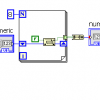
pkeny Posted July 15, 2015 Report Posted July 15, 2015 Hello, I have created a vi that controls multiple writes (individually) by a switch. I have it so one individual switch controls one individual write (And is linked to individual clear, stop, error daqmx blocks). I do not think this is efficient as it takes about 4-6 seconds for the switch to actually write (True or False). So, I was wondering if someone could help me make my code more efficient so it would run a bit faster. Thank you Digital Outs fine.vi Quote
infinitenothing Posted July 15, 2015 Report Posted July 15, 2015 (edited) Look at the example here: {LabVIEW Programs Folder}\examples\DAQmx\Digital Output\Digital - SW-Timed Output.vi One of the best things about DAQmx is there's so many good examples. Edited July 15, 2015 by infinitenothing Quote
pkeny Posted July 15, 2015 Author Report Posted July 15, 2015 (edited) That example can only write to one line at a time since the channel line entering through that while loop only contains one line (At least that is what I think it does). However, I think the reason why my code is inefficient is because I am stopping and clearing every time in my while loop. And my stop button logic has way to many not gates I could probably combine it into one not gate and send that out to multiple writes. Is that something that would fix my inefficiency? Or could it be that I have a fatal flaw in my program that I am not realizing through this example and my program. Edited July 15, 2015 by pkeny Quote
bbean Posted July 15, 2015 Report Posted July 15, 2015 However, I think the reason why my code is inefficient is because I am stopping and clearing every time in my while loop. Yes And my stop button logic has way to many not gates I could probably combine it into one not gate and send that out to multiple writes. Is that something that would fix my inefficiency? No Use a DAQ Assistant (1 for each device) in a loop. Its a beginners friend (and sometimes advanced users). It automatically sets up things for you so you don't have to worry about starting and stopping every loop. If possible write to the whole port at the same time. Hint: 1 Quote
pkeny Posted July 15, 2015 Author Report Posted July 15, 2015 Thank you guys for your answers, After moving my stop, clear, and error daq blocks to outside the loop, the program now is able to switch on and off in about a second. I have been told using daq assistant is a very bad idea from other people. They tell me they always get errors and using daq accomplishes the same task as using daq assistant but more efficiently (I'm probably not using daq correctly so using daq assistant might be better). So, anyways I really want to learn efficient use of daq. Quote
Jordan Kuehn Posted July 15, 2015 Report Posted July 15, 2015 Thank you guys for your answers, After moving my stop, clear, and error daq blocks to outside the loop, the program now is able to switch on and off in about a second. I have been told using daq assistant is a very bad idea from other people. They tell me they always get errors and using daq accomplishes the same task as using daq assistant but more efficiently (I'm probably not using daq correctly so using daq assistant might be better). So, anyways I really want to learn efficient use of daq. When starting out with simple tasks, get a task to work with the assistant. Then copy it and open the front panel to convert it to a VI and poke around in the Block Diagram. Basically ready-made example code for your simple application which will help you understand how to make more complex operations. 1 Quote
infinitenothing Posted July 16, 2015 Report Posted July 16, 2015 (edited) That example can only write to one line at a time since the channel line entering through that while loop only contains one line (At least that is what I think it does). However, I think the reason why my code is inefficient is because I am stopping and clearing every time in my while loop. And my stop button logic has way to many not gates I could probably combine it into one not gate and send that out to multiple writes. Is that something that would fix my inefficiency? Or could it be that I have a fatal flaw in my program that I am not realizing through this example and my program. No, that example writes to many lines at the same time. Look at the channel input: Dev1/port0/line0:7. That means that the "channel" is 8 lines. The input being an array goes along with this. Writing all the lines at the same time should be more efficient that writing them individually. Edited July 16, 2015 by infinitenothing Quote
pkeny Posted July 16, 2015 Author Report Posted July 16, 2015 No, that example writes to many lines at the same time. Look at the channel input: Dev1/port0/line0:7. That means that the "channel" is 8 lines. The input being an array goes along with this. Writing all the lines at the same time should be more efficient that writing them individually. Ah, thank you for clarifying that. I believe I have made a much more efficient daq VI. However, I have a problem that I cannot figure out. In this VI, I have made a task that includes 8 lines. Then I have a boolean array of push buttons which will toggle the write data on/off. I also have a stop button that will end the while loop and stop writing. However, I want to make it so that the when the user presses the stop button, it will reset all the boolean switches to off (false). So, in order to do that I made an event structure that contains a local variable for the boolean switches. However, for some reason when the timeout is at 5ms and I press the stop button it switches all the boolean switches to on (true). But, if I make the timeout at 1ms and I press the stop button it switches all the boolean switches to off (false), which is what I want. Can someone explain to me why it is doing this, and maybe what would be a better way in accomplishing my task? Thanks Digital Outs.vi Quote
Jordan Kuehn Posted July 16, 2015 Report Posted July 16, 2015 However, I want to make it so that the when the user presses the stop button, it will reset all the boolean switches to off (false). daq assistant.png Look at the stop event condition and follow the logic Quote
pkeny Posted July 16, 2015 Author Report Posted July 16, 2015 (edited) To me, it seems that the logic is correct. When the stop button is pressed it returns a value of true. So I send it through a not gate, which will make it false. Then use that false value to initialize an array containing all false values with the same size as the number of elements in the switch array. Next, I send it to the event structure which will execute if the stop value changes. So when the stop value changes, it will give a false value to the boolean switch array's local variable, which should set them all to false. I cannot understand why it would set them to true. And especially I cannot understands why it would set them to true if I change the timeout constant to 5ms, versus 1ms. What do I seem to be missing in my thinking? But, regarding the picture with the conditional event logic. Can someone explain to me the shift register's role in that? I somewhat understand how shift registers work but I am unable to figure out how to incorporate them into a program. I know that they are used to pass data along a for loop, and they can store previous iteration values. Edited July 16, 2015 by pkeny Quote
infinitenothing Posted July 16, 2015 Report Posted July 16, 2015 (edited) Your VI is going to read the stop button (False) then invert that (True) make an array from that Sit at the edge of the event structure for a bit Lets say you press stop 2 ms into the event structure wait—you have an array of true waiting at the incoming edge of the event structure. That true is going to go into your "data array". The next iteration starts, the "true" at the stop control is read at the begging of the loop, you wait and execute the timeout event You can verify the above sequence if you are patient and set a really long timeout (~30 seconds) and turn on highlight execution In the picture, the shift register is just a way to make the first iteration different from all the others. On the first iteration, the timeout is 0. All other iterations have a timeout of -1. Most of us like trigger our actions based on events rather than letting the timeout lazily pick up changes as needed. To that end, you can create an event that will start executing as soon as your "data" array changes. Also, your DAQmx clear and stop are being performed in the wrong order. Follow the examples. Edited July 16, 2015 by infinitenothing Quote
pkeny Posted July 19, 2015 Author Report Posted July 19, 2015 Thank you Infinite, I could not figure out how to setup my event structure so that it will execute when my data array changes, and it will still set the local variable to false. However, I found a workaround using a case structure instead of an event structure. The case structure will occur when the stop button is pressed and then it will set the local variable to false. Now, I have another question, hopefully this is the last one. When I open my program my boolean array is not initialized on the front panel. It is grayed out. So, the program will have an error since my task contains 8 lines, and when the boolean array is grayed out is has zero lines. How can I make it so when the VI file is opened, it will have all eight, false initialized boolean array, versus a grayed out boolean array. I have attached a picture of my front panel when I open the file. Quote
ensegre Posted July 20, 2015 Report Posted July 20, 2015 Several ways. Two for example: in edit mode, click twice on the eighth button, which populates the array. Left click, Data Operation->Make current value default, Save VI. 1 Quote
infinitenothing Posted July 20, 2015 Report Posted July 20, 2015 Also, you have no wait in your loop. Check your processor use—It's probably at 100% (not a great idea) for one of your processors. Try ~100 ms. If you still want to give the array event a try, here's an example of an event that is triggered by the array value change. Quote
Recommended Posts
Join the conversation
You can post now and register later. If you have an account, sign in now to post with your account.